
Learning Claude Code: Ray Amjad
A great source for Claude Code tips.

First, let’s put Claude Code in context.
The other day we had the helpful chart that covered Claude Chat, Cowork, and Projects. There’s no mention of Claude Code at all. Let me explain where it fits.
Claude Chat, Cowork, and Projects are all things that run in your browser, or in the graphical Claude Desktop. Claude Code is a programmer’s tool, it mostly runs in terminal windows. If you are not a programmer and/or don’t know much about using the terminal, just know that Cowork was created to bring the benefits of Claude Code to your experience. You can have a successful career without ever touching Code, but you MUST understand what people mean when they mention it, because you will likely be working with others who do use it.
That being said …
There are a couple of sources I lean on heavily as I adapt to this brave new world. First, foremost, and often mentioned is Nate B. Jones. If you want to know what’s happening next, this guy’s crystal ball is roughly as tall as he is. I watch every single thing he does, often rewatch (50%?), and at least a couple times a week I have Perplexity make a transcript so I can pull out an important section to show others.
That’s the strategy front covered, but there are smaller, simpler problems … which I presume is what brought you here. Mostly we’re focusing on the needs of those of you who are a “scout” or a member of a “strike team” — individuals and the related small groups who understand how to use AI effectively — the “AI natives”. Those terms are concepts are from a recent Nate video — 45 People, $200M Revenue.
I have my own set of sources that help me at this “closer to the action” level, and I really like physicist turned Claude Code guru Ray Amjad. Every time there’s a new Claude feature he will 1) explain it 2) demonstrate it in action and 3) produce some nice cartoon/diagram infographics to make it memorable. If you are starting to use Code, this guy is a GREAT source.
My Setup:
This is what happened to be on my desktop when I watched that video. I use Claude Code, but I put it in Google’s Antigravity IDE. What you see here is “HBbackend”, a GitHub repository that contains my company’s server side software. Using Antigravity lets me task switch between building this, helping our mobile developer review his code, or furthering my Parabeagle package when I’ve got a minute free. Antigravity holds what I was doing, so I’m not spending an hour trying to get back up to speed if I switch tasks.
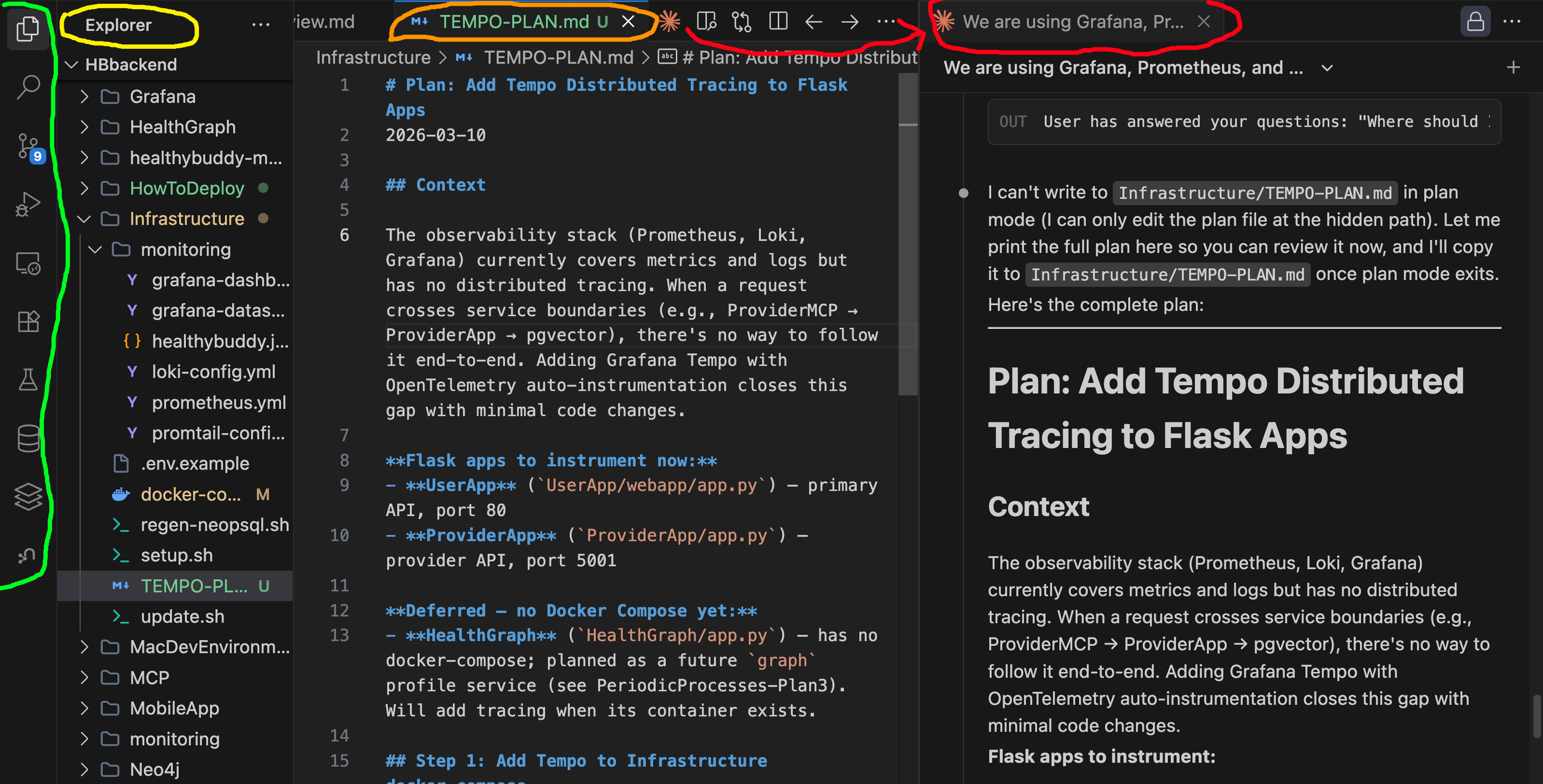
The green area is the action bar - those are various functions in Antigravity. The yellow circled Explorer is the file explorer - just like in your documents folder, but it gets used in a GitHub repository. The folders and files you see are version controlled, this is how programmers handle complex, long running programming tasks.
The orange circled TEMPO-PLAN.md is a file name and the orange Claude icon next to it launches the Claude Code extension. The far right pane “We are using Grafana” is me having a talk with CC about building our application stack monitoring.
As a comparison for you non-programmers, here is what was going on in my Claude Desktop’s Cowork tab at the same time.
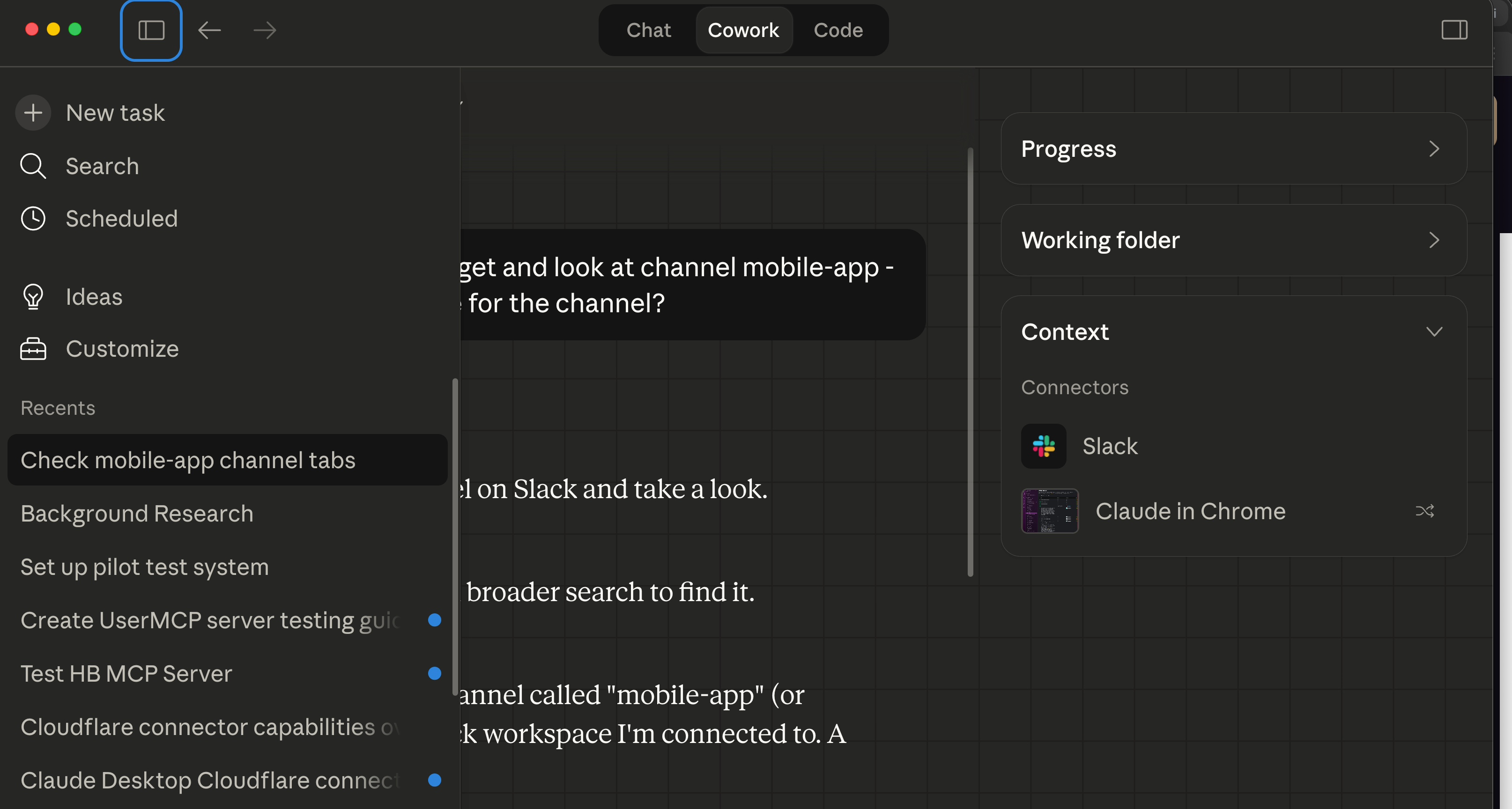
The left third of the screen are the conversations I’ve had with Cowork. The conversations you see are mostly server side development related. The right panel shows the resources being used in this Cowork session. The center is me talking with Claude, in this instance trying to get Cowork to read Slack templates - that’s me working on “TeamBrain”, the name for the “harness” we have for our “strike team” collective work.
You can see Chat, Cowork, and Code … where are the Projects mentioned in that infographic from the other day? They are NOT HERE YET.
This is an evolving environment, that panel on the right mentions the working folder, which is literally just a folder on your system. Projects serve the same role for Chat, but it’s purely internal to Claude Desktop, it can’t touch your system, it only gets what it is explicitly given.
Cowork is brand new, just two months old the day this article came out. Anthropic is bringing Claude Code type functions to non-programmers, which means they intend to drink Microsoft Office’s milkshake. This interface has changed three times in two months and it will keep evolving as they figure out what people actually need when they’ve got a top notch LLM to assist them.
Conclusion:
I do not yet have the YouTube equivalent of Ray Amjad for those of you who are excited to use Cowork. What I am doing here in terms of Problem/Solution will be bridging the world of Claude Code and Cowork, speaking to the “scouts” and whomever does the tooling for your “strike team”. I am not sure I have it in me to produce as slickly as Ray does, and I’m not sure this is even the right way to do things for the intended audience. My thinking this moment is that for the Problem/Solution posts, the five minutes of reading/twenty five minutes of tinkering is the right way for you guys to level up.
This is me being attentive to the experiential process favored by adult learners - watch one, do one, teach one. You get to watch me, do it for yourself immediately thereafter, and for a portion of these things you’ll have a coworker or friend asking for a screen share so they can see what you did.