
Helpful Claude Chat/Cowork/Projects Chart
Found this on Reddit.

People who are just starting to use Claude Desktop in 2026 can find it a bit intimidating. There are many more options than there were when I started last summer, but it’s MUCH easier to integrate external tools than it was back then.
This is a really nice chart that shows how and when to use simple Chat, as opposed to Cowork or Projects.
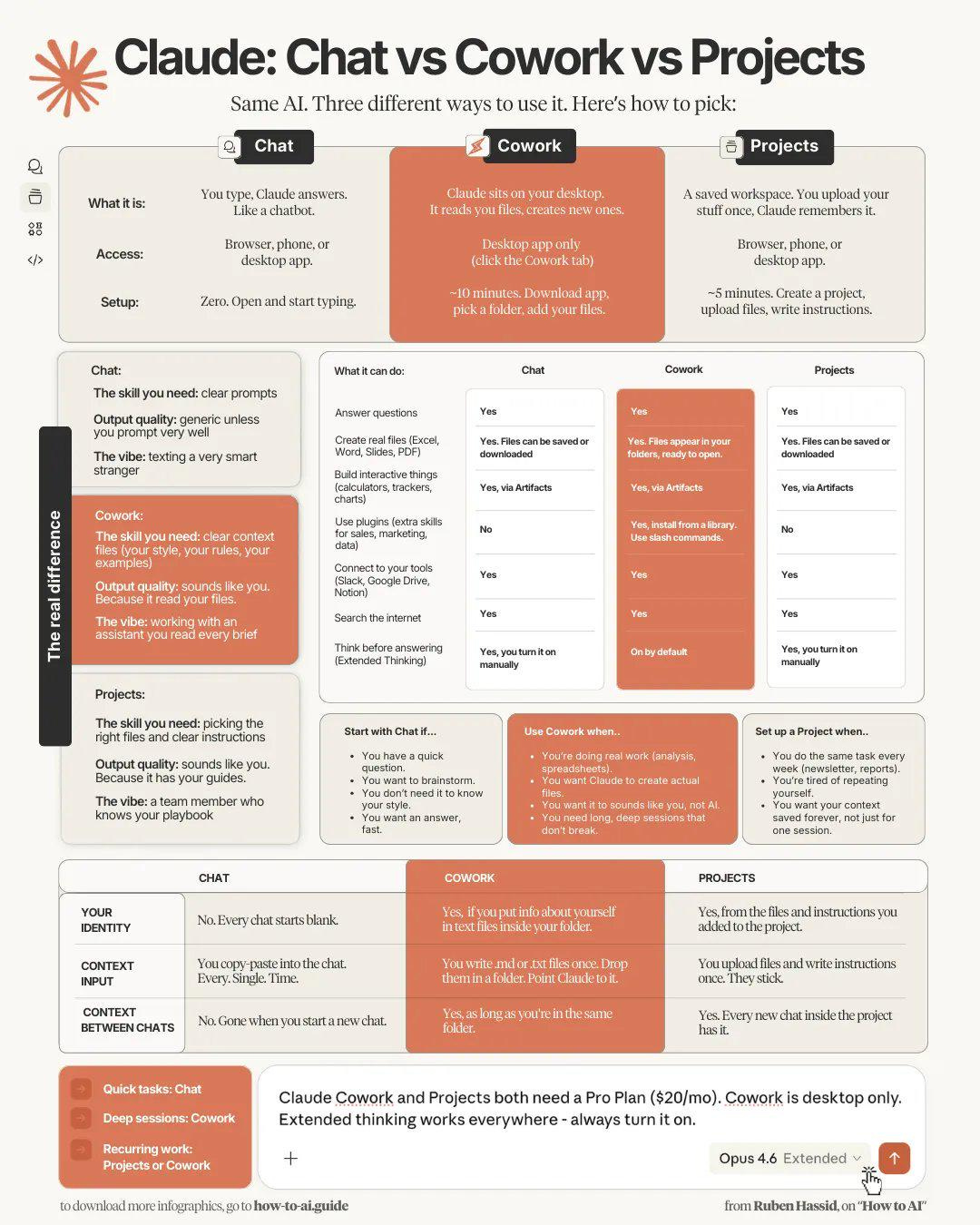
A broad hint here - almost everything I do involves using Cowork and giving it access to a local folder on my computer, sometimes a Github repository. I use Antigravity as my IDE (Integrated Development Environment) but I vastly prefer Cowork if there’s any browser access required.
Unlike the text only Claude Code running under Antigravity, with Cowork you can sit and watch what it does with a browser. Its surfing ability isn’t great, but by being able to see it you can whisk it past things that would completely flummox the headless browser control Claude Code does using Playwright.
Here are the Connectors that are configured on my system today. These are tools that Claude Cowork can employ as needed.
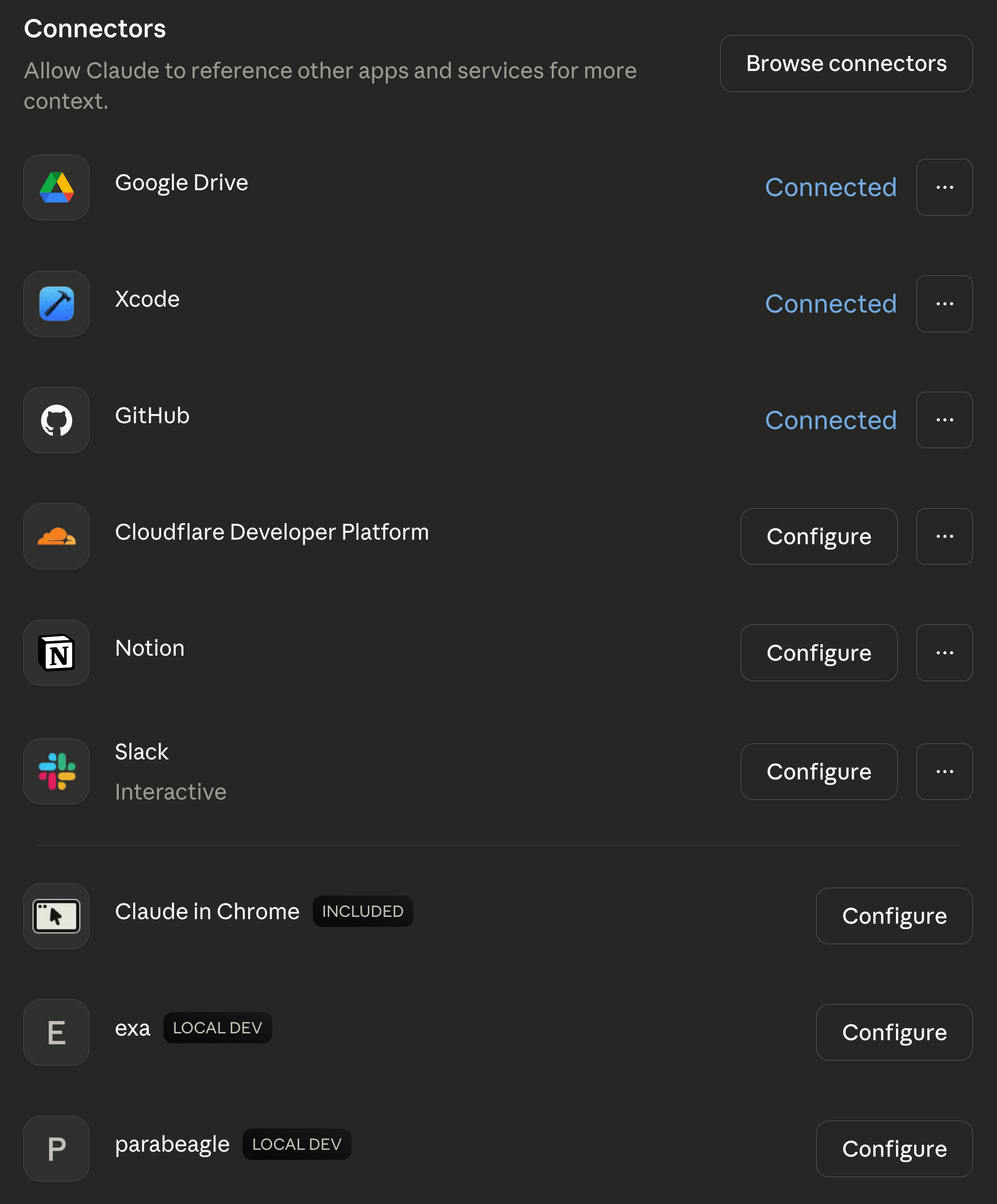
You can see Claude in Chrome there at the bottom. Exa is a search utility, Parabeagle is my local document indexing tool. Google Drive is a dumb file storage thing I dislike, Notion is a much smoother alternative, and Slack is for work chat. I can have Cowork read a Slack channel to get the details on a task, write it up in its sandbox so I can review it, and then push it to Notion so the others can see it.
The Cloudflare Developer Platform, Github, and Xcode are exactly as they appear - software development tools.
If you’ve only just got your first Claude Pro, the ones you want are:
Notion - your “brain”, a place to store structured information.
Exa - a quality search tool.
Slack - handy if you have a team, it beats all the other chat systems.
I’ve used Claude Desktop every day for eight months straight. Even so, I got some benefit out of reviewing that chart. There is a LOT to learn and things are constantly changing. The good news is that the tools are much easier to connect and use than they were last year.
You will take some lumps time wise the first couple weeks, but you should quickly progress to the point where you get some of your time back. Once you’ve done that you’re free to digest additional capabilities without overloading yourself.