Claude Code Tuning
Just a quickie so y'all know I'm still alive.

OK, I’m not dead, but this startup stuff might get me at the rate we’re moving.
Anyway, here is a tiny bit of Claude Code wisdom.
This is the result of me noticing how badly Claude Code has been acting, then finding a senior AMD person roasting them for declining performance.
CodeSight:
This one is just stone simple - drop this tool in and it automagically parses your project, adds itself to the CLAUDE.md file, and hooks so it auto updates. And so you don’t furrow your brow later, this one is complimentary to the other things I mention below.
Just Like .gitignore
I just learned that Claude Code respects .claudeignore - you put in the file types you want to not waste tokens on, and then you don’t …
# .claudeignore - Prevents Claude Code from scanning specific files/directories
# -------------------------
# Secrets & Credentials (CRITICAL)
# -------------------------
.env
.env.*
*.pem
*.key
secrets/
credentials.json
# -------------------------
# Python & Flask Specifics
# -------------------------
__pycache__/
*.py[cod]
*$py.class
instance/ # Flask instance folder (often contains local configs/DBs)
.pytest_cache/
.ruff_cache/
htmlcov/
.coverage
*.egg-info/
build/
dist/
# -------------------------
# Virtual Environments
# -------------------------
venv/
.venv/
env/
pip-wheel-metadata/
# -------------------------
# Database & Infrastructure
# -------------------------
*.sqlite3
*.db
pgdata/ # Local PostgreSQL/Timescale data volumes
vector_data/
logs/
*.log
# -------------------------
# Frontend / UI Dependencies
# -------------------------
node_modules/ # Token-heavy, block if serving GraphQL UIs or frontend assets
package-lock.json
# -------------------------
# IDE & OS Files
# -------------------------
.vscode/
.idea/
.DS_Store
Serena:
Next, stop burning so heckin’ many tokens with common tools that are not really up to the task. Instead of groping around with grep, put in Language Server Protocol. Given that I have JavaScript/TypeScript and Python, I picked Serena. This is an MCP server that will use command line tools to extract programming language features.
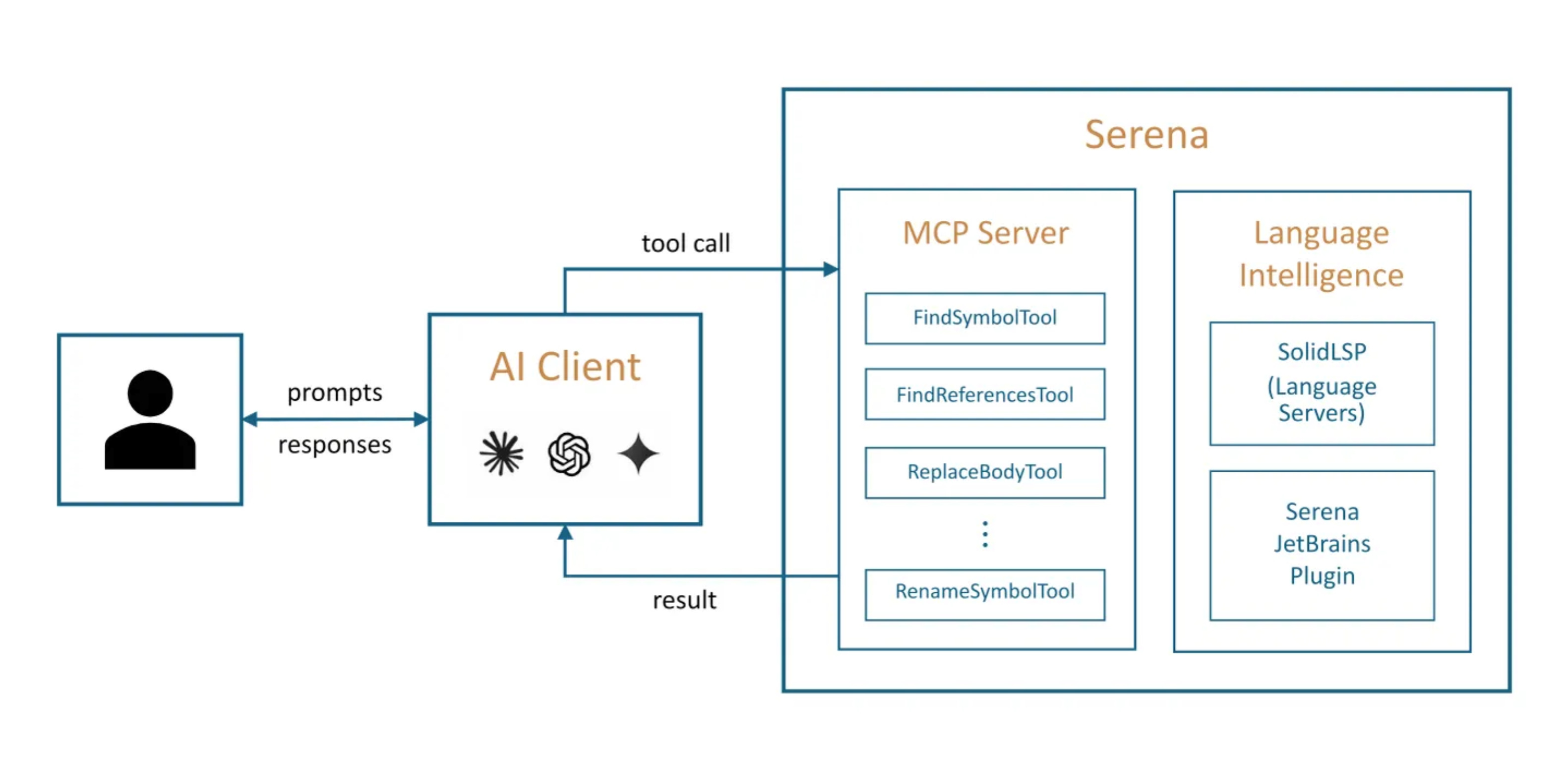
Once that’s running, you install the LSP Enforcement Kit. I’m not sure I believe the stats - 90%+ reductions in token usage? Today is my first time using it …
Degradation Workaround:
Having saved a bunch of tokens by outlining projects with CodeSight, not wasting time/tokens by using LSP Enforcement Kit, and employing the .claudeignore file to ensure that random cruft doesn’t end up in context, I’m being more efficient, but Claude is still dragging its behind all over my codebase.
So the next step is the Degradation Workaround. This collection of settings attempts to put Claude Code back to its fabulous early spring settings. These include
Stop-Phrase Guard Hook - notice when Claude is attempting to slack off.
Auto-Compact Window - clean house at 400k, don’t wait to hit the 800k wall.
Show Thinking Summaries - keep an eye on Claude to ensure it’s working.
Always Thinking Enabled - because Claude is weary, and tries to turn this off.
Effort Level High - they lowered the default to medium.
Here’s the JSON that’s required, but you really should read the article, I found it well worth fiddling with translate.
{
  “env”: {
    “CLAUDE_CODE_DISABLE_ADAPTIVE_THINKING”: “1”
  },
  “hooks”: {
    “Stop”: [
      {
        “hooks”: [
          {
            “type”: “command”,
            “command”: “$HOME/.claude/hooks/stop-phrase-guard.sh”,
            “timeout”: 5,
            “statusMessage”: “Checking for lazy behavior...”
          }
        ]
      }
    ]
  },
  “effortLevel”: “high”,
  “autoCompactWindow”: 400000,
  “showThinkingSummaries”: true,
  “alwaysThinkingEnabled”: true
}
Conclusion:
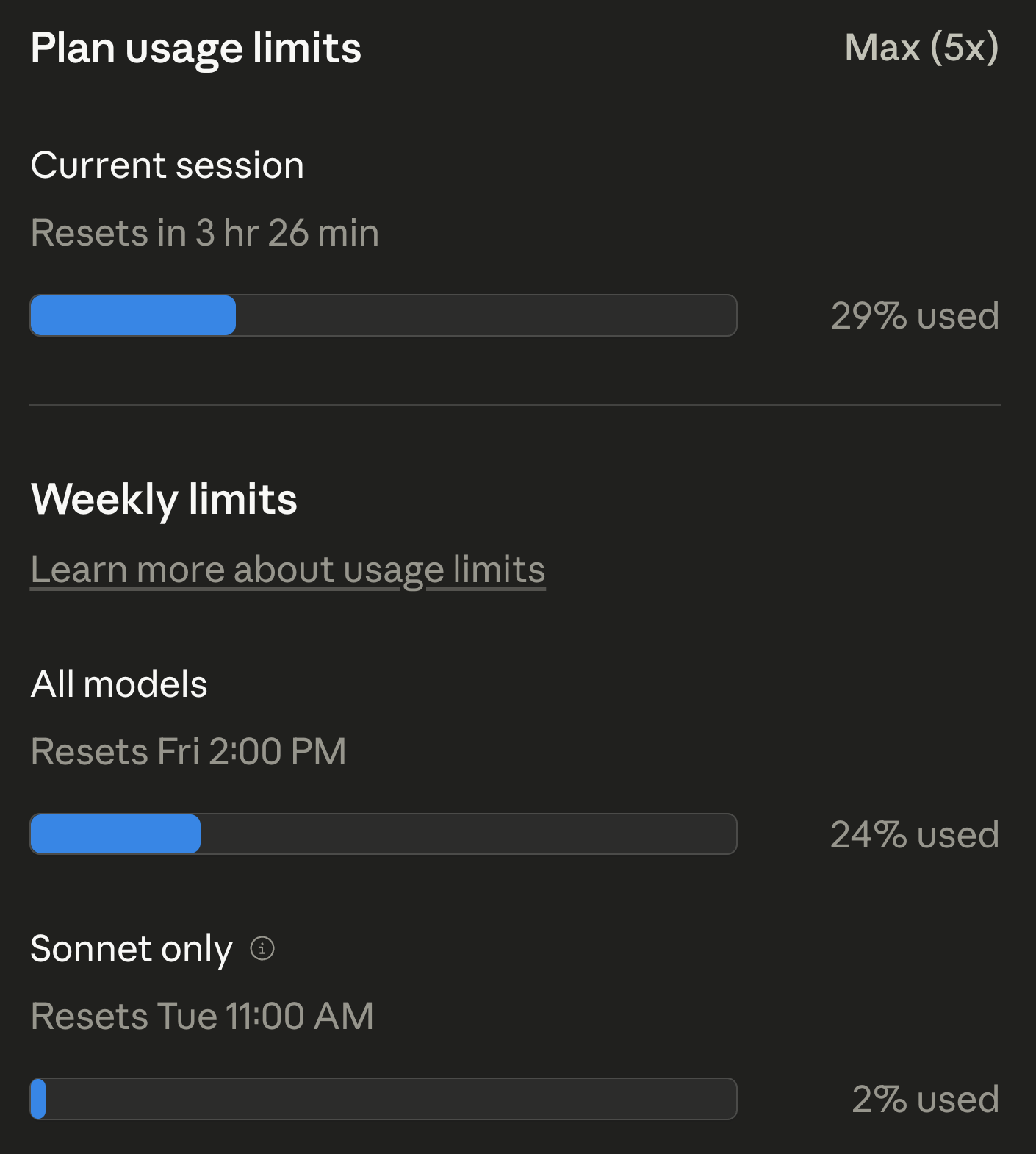
And as you can see, I kinda need to conserve … 24% of weekly limit in less than 24 hours? Yikes …